

Approve Claude Code from the notch
A session asks to run a command. Approve or deny it right there, without finding the terminal.
Your agents, your day, your music and your files, all live in the notch at the same time. Nothing to open, nothing to find.
A session asks to run a command. Approve or deny it right there, without finding the terminal.

The 5-hour and weekly limits, before you hit them.
Hold Space and ask a question out loud.
One key, then pick it.
Start it from the notch. Every alert waits.
Skip a song, then play Snake, Tetris, 2048 or Flappy while the build runs.
Gmail, Calendar, GitHub and the rest, pinned up top.
Each session gets a face that shows what it is doing, and which one needs you.
What switching apps costs you
Harvard Business Review, 2022 · Gloria Mark, UC Irvine. With Crowny it is already on screen: one glance, no switch.
Two ways to wear it
Keep Crowny in view, or keep the notch bare while nothing is going on. Switch any time.
Mochi on the left, what’s live on the right: a song, a timer, your agents at work.
Nothing over the notch while it’s idle. Music, timers and agents show the moment they’re live. Point at it to open it.
Try it right here
This is the real app. One shape, springing into each moment.
Claude Code wants to run a command. Approve it right here.
Let’s start with the most essential.
Music
Spotify, Apple Music and YouTube. See what’s playing and skip songs without leaving what you’re doing.
The little things you reach for between prompts, one glance or one key away.
Press ⌥⇧V in any app. Today’s clipboard opens in the middle of your screen: arrow to it, press Return, and it’s yours again.
A glass that fills as you drink, and a gentle nudge every hour. Stand and 20-20-20 eye breaks too. Never during Focus, never while you’re away.
Play a song and Mochi puts his headphones on and dances to the beat, beside a live visualiser. Hover the bars for the song, the cover and the controls.
Pop them in and the notch springs open with which pair it is and each bud’s battery.
⌥Space opens Crowny over whatever app you’re in. ⌃⇧A jumps straight to your agents.
Less than a coffee. Pay once and keep it: no subscription, no account, every version 1 update included. If it saves one stuck agent, it has paid for itself.
$15 $5 one-time
Best on a Mac with a notch (Apple Silicon, macOS 15 or later). Windows and Linux: coming soon.

Crowny has the answers. Anything else? Write to us.

Notifications pile up in a corner and disappear. Crowny shows every session’s live state in the notch all day, lets you answer Claude Code right there instead of hunting for its terminal, and holds everything while you focus.
It works best on a Mac: it is made for the notch, on any Mac with Apple Silicon and macOS 15 or later, and on a Mac without one it sits as a small pill under the menu bar. Windows and Linux: coming soon.
Yes. Crowny watches the Claude Code, Codex and Grok sessions you start yourself, in Terminal, iTerm, Ghostty or Warp, and reads each one’s state from its own status and transcript. Nothing to wrap. Turn on the Claude Code hook in Setup and you can approve its prompts from the notch; when Codex waits, the notch shows it and takes you to its terminal.
No. You pay once for a licence on one computer, and every update in version 1 is included. No account, no monthly fee.
No. At rest it uses about a tenth of one percent of a single core, and it draws nothing when nothing needs drawing. Your data stays on your Mac: the only calls it makes to us are to activate your licence and check for updates.
One computer. The key binds to it the first time you activate, and you can reinstall on it as often as you like. Another computer needs its own licence.
Agents, Time, Play, Reminders, Today and Notes work without one. Apple Mail works without one too: unread, the latest message, and Reply opens it in Mail. Voice answers, and mail triage and drafts with Gmail, use your own Anthropic key, added in Setup.
Only what you connect: if you turn on triage, ordinary mail goes to Anthropic with your key, and one-time passwords, bank and UPI mail never do. Voice is heard on your Mac, and answers go to Anthropic with your key. Our server sees only your licence key, when you activate, and update checks.
Yes. Tap “Have a code?” on the licence card before you buy. If a code is refused, you are told why and nothing is charged.
Write to us within 14 days of buying for a full refund. No questions beyond which email you paid with.
The launch build is signed but not yet notarised, so macOS stops it the first time. Open System Settings, then Privacy & Security, scroll down and choose Open Anyway next to Crowny. After that it opens like any app.
After an interruption it takes an average of 23 minutes to get fully back to a task (Gloria Mark, UC Irvine). Crowny answers at a glance, so you never leave.
1 click
Without Crowny: find the terminal, find the tab, read the question, type.
0 app switches
Your next meeting, the song, a timer and today’s reminders sit one glance up.
20+ tools
Timers, calendar, music, clipboard, files, water, games, agents, and more.
<1% CPU
No account, no tracking. Your data stays on your Mac.
Winner AI Day Noida 2026
Crowny turns your MacBook’s notch into a live home for your AI agents, meetings, music and focus. Approve Claude, join a call, start a timer, without leaving what you’re doing. Your AI agents, meetings, music and focus, live in your MacBook’s notch.
 Claude Code
 Codex
Codex Grok
GrokWorks best on MacWindows and Linux: coming soon
Your agents, your day, your music and your files, all live in the notch at the same time. Nothing to open, nothing to find.
A session asks to run a command. Approve or deny it right there, without finding the terminal.
The 5-hour and weekly limits, before you hit them.
Hold Space and ask a question out loud.
One key, then pick it.
Start it from the notch. Every alert waits.
Skip a song, then play Snake, Tetris, 2048 or Flappy while the build runs.
Gmail, Calendar, GitHub and the rest, pinned up top.
Each session gets a face that shows what it is doing, and which one needs you.
What switching apps costs you
Harvard Business Review, 2022 · Gloria Mark, UC Irvine. With Crowny it is already on screen: one glance, no switch.
Winner AI Day Noida 2026
Crowny turns your MacBook’s notch into a live home for your AI agents, meetings, music and focus. Approve Claude, join a call, start a timer, without leaving what you’re doing.
Claude CodeCodexGrokWorks best on MacWindows and Linux: coming soon
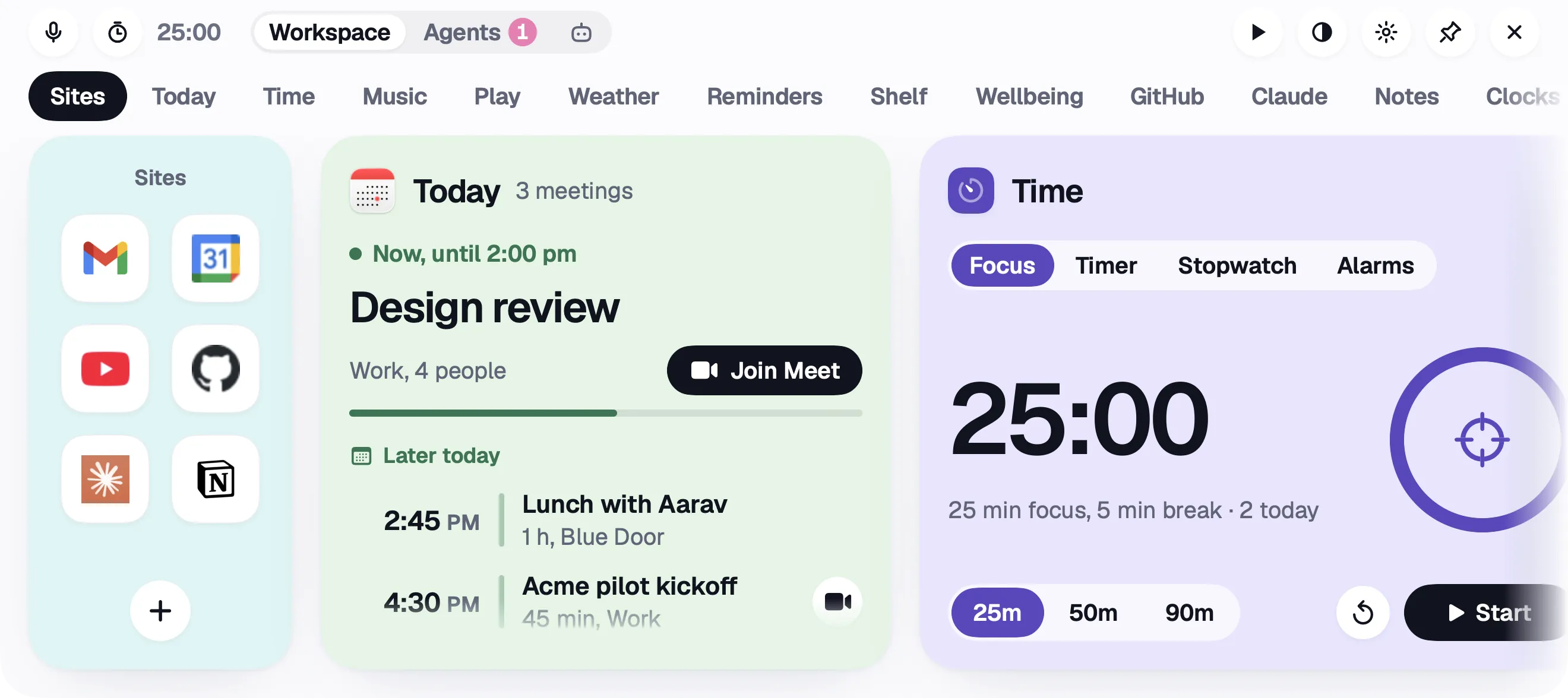
Open the notch: your sites, your shortcuts, today’s meetings and your timers, all together.

When Claude Code has a question, it shows up in the notch. Click an answer and it gets back to work.
Keep Crowny on, with Mochi and your agents in the notch. Or go Minimal: nothing over the notch while it’s idle, and everything live still shows.

Watch a video while it works. When it’s done, the notch tells you. No more checking back every few minutes.

Start a 25-minute focus timer from the notch. Notifications wait until you’re done.
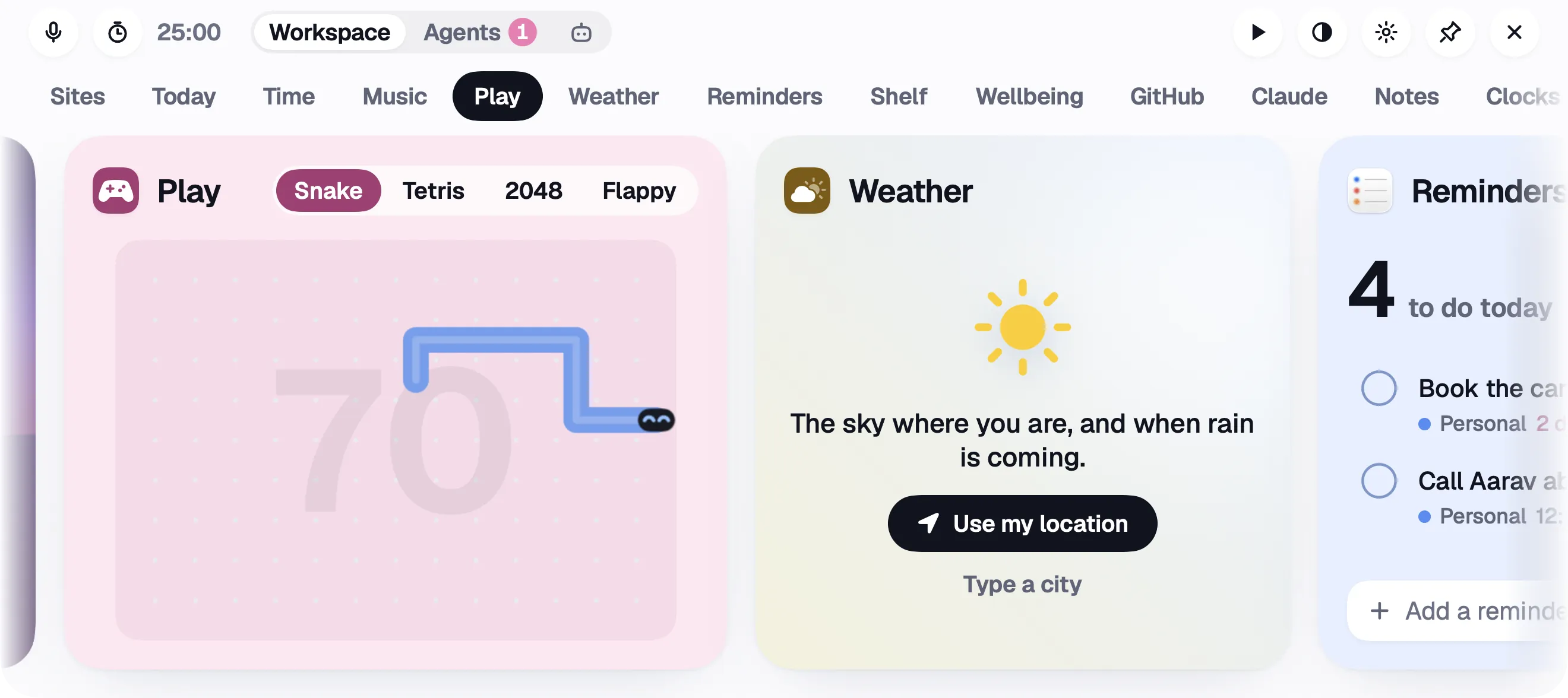
Snake, Tetris, 2048 and Flappy, right in the notch. Something fun while you wait.

Your next meeting shows up in the notch before it starts, with a button to join.
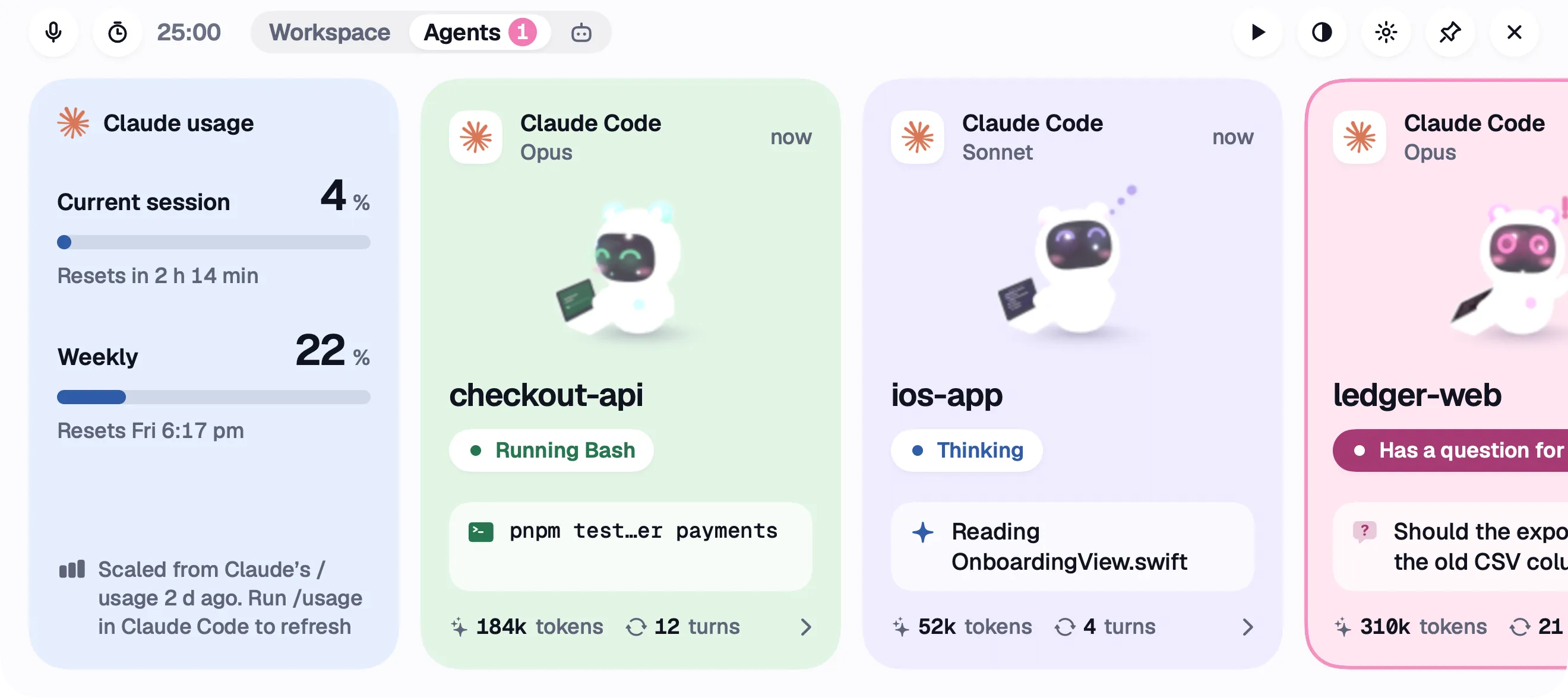
Claude Code, Codex and Grok each get a little face. One look tells you who is working and who needs you.

Reminders, your calendar, email, notes, water breaks, your clipboard and more.


